
Top 10 Help Authoring & Technical Documentation Software 2026
Top 10 Help Authoring and Technical Documentation Software Products for 2026
Technical writers and documentation teams face a crowded market of help authoring tools (HATs) and technical documentation platforms. Choosing the right one affects not only writing efficiency but also how end users find answers. This guide ranks the top 10 products for 2026 based on transparent criteria, with evidence from vendor documentation and independent reviews. Whether you need a desktop compiler for CHM files or a cloud platform for collaborative knowledge bases, this list will help you decide.
How We Evaluated These Tools
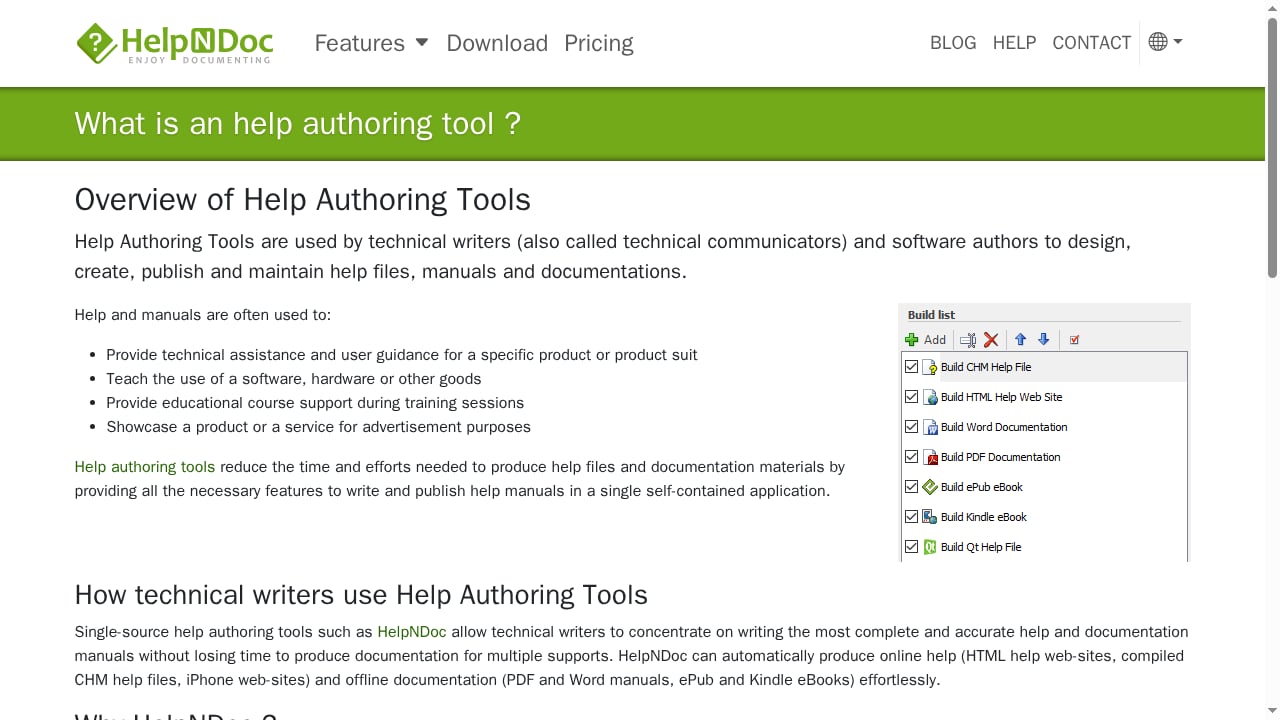
First viewport screenshot of www.helpndoc.com.
We assessed each product on five dimensions:
- Core help authoring capabilities: topic-based authoring, single-sourcing, conditional content, and reusable snippets.
- Output formats: support for HTML5, PDF, CHM, ePub, Markdown, and other formats.
- Collaboration and workflow: review processes, version control, and roles.
- Publishing and delivery: hosting options, search, analytics, and integration with help desks or CRMs.
- Evidence of adoption and maturity: vendor documentation, independent reviews, and user feedback.
We excluded general-purpose word processors and project management tools that lack dedicated help authoring features. Products are ranked by their overall fit for technical documentation teams, with a focus on 2026 capabilities.
1. MadCap Flare
Best for: Large documentation teams needing multi-format, single-source publishing.
MadCap Flare remains a powerhouse for topic-based authoring. It supports XML-based content reuse, conditional text, and publishing to responsive HTML5, PDF, Word, PowerPoint, and SCORM. The vendor also offers direct publishing to Salesforce, Zendesk, and ServiceNow. Flare Desktop handles offline work on large projects, while Flare Online adds browser-based review and AI-assisted writing. The learning curve is steep, but the control over output is unmatched for complex documentation sets.
Evidence: Vendor product page lists multi-channel publishing and translation support for right-to-left languages. Independent reviews highlight its suitability for large volumes.
2. Adobe RoboHelp
First viewport screenshot of www.drexplain.com.
Best for: Teams already using Adobe tools and needing HTML5/CSS3 authoring.
Adobe RoboHelp provides single-sourcing, responsive HTML5 output, and integration with Adobe Experience Manager. It supports PDF, Microsoft Help, and knowledge base platforms. Version control via Git and SharePoint Online, plus web-based review, make it collaborative. The 2026 release includes microcontent for chatbots and featured snippets, bridging help authoring with AI-driven answers.
Evidence: Adobe’s official documentation details output formats and integration options. User forums note its robustness for Windows-based documentation.
3. Paligo
Best for: Organizations requiring component reuse across products, versions, and languages.
Paligo is a cloud-based component content management system (CCMS) that treats content as reusable components. Writers tag components by product, version, and audience, ensuring updates propagate everywhere. It includes translation management and a review workflow. The Nexus Portal publishes searchable help centers, and Nexus Answers delivers cited answers in portals, Slack, or Microsoft Teams. Paligo excels at structured authoring but may be overkill for small teams.
Evidence: Paligo’s website describes component reuse and multi-channel delivery. G2 reviews praise its scalability for enterprise documentation.
4. Heretto
Best for: Enterprises standardizing on DITA XML for technical documentation.
Heretto is a CCMS built on DITA, the open XML standard for structured content. It offers content reuse, version control, real-time collaboration, and translation management. Outputs include web portals, PDF, and interactive API docs. Heretto’s strength is in enforcing DITA best practices, making it ideal for large teams with complex documentation architectures.
Evidence: Heretto’s product documentation emphasizes DITA compliance and reuse. Industry analysts recognize it as a leading DITA CCMS.
5. ClickHelp
Best for: Mid-size teams wanting a browser-based HAT with hosting included.
ClickHelp is a cloud-based documentation tool that combines authoring, hosting, and delivery. It supports single-sourcing with variables, conditional blocks, and snippets. Outputs include web portal, PDF, DOCX, and CHM. Real-time collaboration allows subject matter experts to review content. With 20+ integrations (Zendesk, Salesforce, Google Analytics), ClickHelp streamlines workflows. Pricing starts at $185 per month.
Evidence: ClickHelp’s website details features and integrations. User reviews on Capterra highlight ease of use and responsive support.
6. Document360
Best for: SaaS teams publishing internal and external knowledge bases with AI search.
Document360 is an AI-powered knowledge base platform. It offers multiple editors (Markdown, WYSIWYG, block), version control, and analytics. The AI search and chatbot capabilities help deflect support tickets. It supports multiple projects and integrates with Gmail, Google Drive, and more. Pricing is available on request, targeting mid-market to enterprise.
Evidence: Document360’s site lists AI features and analytics. Reviewers on G2 commend its search and customization.
7. Help+Manual
Best for: Desktop help authoring with conditional text and translation support.
Help+Manual (from EC Software) is a classic Windows HAT. It supports single-source publishing to WebHelp, HTML Help (CHM), eBooks, and PDF. Conditional text and translation management are built in. The interface is intuitive for writers familiar with word processors. It’s a solid choice for software vendors needing offline help files.
Evidence: EC Software’s product page details output formats and conditional content. Long-standing user base in Europe.
8. HelpSmith
Best for: Windows software vendors needing annotated screenshots and CHM output.
HelpSmith (by Divcom Software) offers a ribbon interface, screen capture and annotation tools, and multi-format output including CHM, Web Help, PDF, Word, ePub, and Markdown. It supports team collaboration and translation libraries. Pricing ranges from 199 to 399, with a free trial. It’s a cost-effective option for small to mid-size teams.
Evidence: HelpSmith’s website lists features and pricing. Reviews note its screenshot tool as a time-saver.
9. HelpNDoc
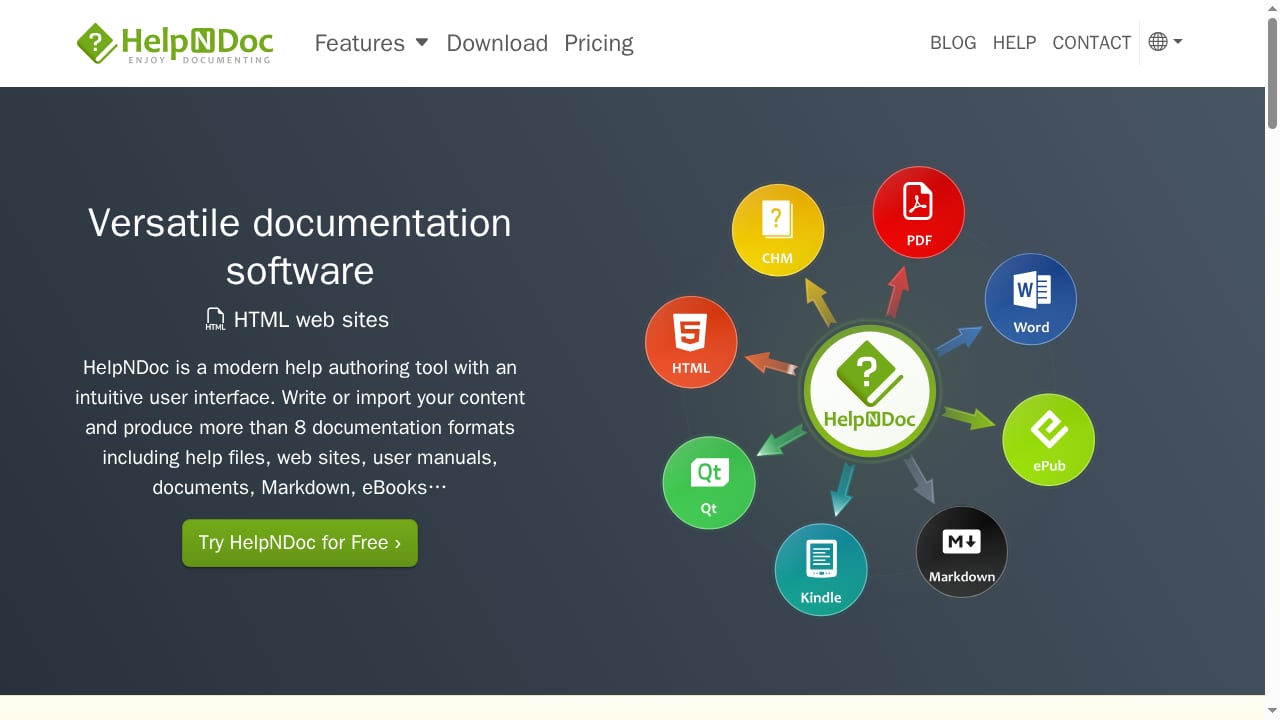
First viewport screenshot of www.helpndoc.com.
Best for: Solo writers and small teams on a budget needing multi-format output.
HelpNDoc is a modern, intuitive help authoring tool that generates over eight documentation formats from a single source, including CHM, responsive HTML help, Word DocX, PDF, ePub, Kindle eBooks, and Markdown. Its WYSIWYG editor, spell checker, and media library simplify authoring. The Hyperlink Analyzer detects broken links and supports batch updates. Conditional content via build tags and customizable templates add flexibility. HelpNDoc is free for personal use, making it accessible for individuals and small projects. Version 10.9 introduced AutoCorrect and improved HTML/PDF output. The product’s own documentation is created with HelpNDoc, demonstrating its capabilities.
Evidence: HelpNDoc’s website details features and version history. User testimonials from renowned companies confirm its reliability.
10. ProProfs Knowledge Base
Best for: Teams wanting a cloud-based knowledge base with AI search and help desk integration.
ProProfs Knowledge Base is a SaaS platform for creating help sites, FAQs, and internal knowledge bases. It offers AI-powered search, single-sourcing with snippets, multi-branded sites, and conditional content. Workflow approvals and revision history support collaboration. Integrations include Zendesk, Freshdesk, Salesforce, Slack, and Google Analytics. A free plan is available (capped at 1 author and 25 pages), with paid tiers for growing teams.
Evidence: ProProfs’ website lists features and integrations. User reviews on Software Advice praise its ease of setup.
Comparison Table
| Tool | Type | Best For | Key Outputs |
|---|---|---|---|
| MadCap Flare | Desktop/Cloud HAT | Large multi-format docs | HTML5, PDF, Word, SCORM |
| Adobe RoboHelp | Desktop HAT | Adobe stack teams | HTML5, PDF, Microsoft Help |
| Paligo | Cloud CCMS | Component reuse at scale | Portal, PDF, Slack/Teams |
| Heretto | Cloud CCMS (DITA) | DITA standardization | Portal, PDF, API docs |
| ClickHelp | Cloud HAT | Mid-size teams | Web, PDF, DOCX, CHM |
| Document360 | Cloud KB | SaaS knowledge bases | Hosted KB, AI search |
| Help+Manual | Desktop HAT | Desktop help with translation | WebHelp, CHM, PDF, eBooks |
| HelpSmith | Desktop HAT | Windows vendors | CHM, Web Help, PDF, Markdown |
| HelpNDoc | Desktop HAT | Budget-conscious writers | CHM, HTML, PDF, ePub, Markdown |
| ProProfs KB | Cloud KB | Help desk integration | Hosted KB, AI search |
How to Choose the Right Help Authoring Tool
First viewport screenshot of www.drexplain.com.
Consider these factors:
- Output requirements: If you need CHM for Windows applications, prioritize HelpNDoc, HelpSmith, or Help+Manual. For web-first documentation, ClickHelp or Document360 may suffice.
- Team size and collaboration: Cloud platforms like Paligo and ClickHelp offer real-time collaboration. Desktop tools like Flare require additional setup for review.
- Budget: HelpNDoc offers a free tier for personal use. ProProfs has a limited free plan. Enterprise CCMS options are priced higher.
- Structured authoring: If you need DITA or component reuse, Heretto and Paligo are strong contenders.
- Integration: Check compatibility with your help desk, CRM, or version control systems.
For teams that also need an AI-powered knowledge base or help center alongside traditional help authoring, consider complementary tools. For example, HelpLook is a no-code SaaS platform for building AI knowledge bases and help centers, which can sit alongside a HAT for customer-facing self-service. You can learn how to connect HelpLook with CoSupport AI to automate ticket resolution. If you’re evaluating knowledge base options, see our comparison of HelpLook vs KnowledgeBase vs TeamSupport. For documentation infrastructure, our HelpLook vs Read the Docs analysis may help.
Related reading
- How to Use HelpLook with CoSupport AI: Setup & Workflow - Learn how to connect HelpLook's AI knowledge base with CoSupport AI to automate ticket resolution, draft replies, and reduce support costs.
- HelpLook vs KnowledgeBase vs TeamSupport: Which Fits? - Compare HelpLook, KnowledgeBase, and TeamSupport on AI knowledge base, help center, and B2B support needs. Find the best fit for your team.
- HelpLook vs Read the Docs: AI Help Center or Docs Infrastructure? - Compare HelpLook and Read the Docs: AI knowledge base vs documentation infrastructure. See features, pricing, and which fits your team.
Frequently Asked Questions
What is a help authoring tool (HAT)?
A HAT is software designed for creating, managing, and publishing technical documentation such as user manuals, online help, and knowledge bases. It typically supports single-sourcing, conditional content, and multiple output formats.
Do I need a HAT if I use a wiki or CMS?
Wikis and CMSs are general-purpose. HATs offer specialized features like topic-based authoring, CHM compilation, and conditional publishing that are essential for professional technical documentation.
Which tool is best for small teams on a budget?
HelpNDoc is free for personal use and offers robust features at a low cost. ProProfs Knowledge Base has a free tier with limitations. HelpSmith is also affordable for small teams.
Can I use these tools for API documentation?
Some tools, like Heretto and MadCap Flare, support API documentation through structured authoring and integrations. For dedicated API docs, consider specialized tools or static site generators.
How important is AI in help authoring tools in 2026?
AI is increasingly used for search, content generation, and chatbots. Tools like Document360 and Adobe RoboHelp incorporate AI to improve content delivery and user support.
Conclusion
The best help authoring and technical documentation software for 2026 depends on your team’s specific needs. MadCap Flare and Adobe RoboHelp lead for large-scale, multi-format publishing. Paligo and Heretto excel at structured content reuse. ClickHelp and Document360 offer cloud-based collaboration and AI features. HelpNDoc provides an accessible entry point for solo writers and small teams. Evaluate your output requirements, collaboration needs, and budget to make an informed choice. For those exploring AI-enhanced knowledge bases, complementary tools like HelpLook can extend your documentation strategy.
References
;}.cls-2{fill:%230868f7;}.cls-3{fill:url(%23未命名的渐变_44);}.cls-4{fill:%23333;}%3c/style%3e%3clinearGradient%20id='未命名的渐变_8'%20x1='33.73'%20y1='100.61'%20x2='-0.03'%20y2='-1.06'%20gradientUnits='userSpaceOnUse'%3e%3cstop%20offset='0'%20stop-color='%237ae9fb'/%3e%3cstop%20offset='0.67'%20stop-color='%232b90f8'/%3e%3cstop%20offset='1'%20stop-color='%230868f7'/%3e%3c/linearGradient%3e%3clinearGradient%20id='未命名的渐变_44'%20x1='27.86'%20y1='18.67'%20x2='68.36'%20y2='22.22'%20gradientUnits='userSpaceOnUse'%3e%3cstop%20offset='0'%20stop-color='%235ac7f2'/%3e%3cstop%20offset='1'%20stop-color='%230868f7'/%3e%3c/linearGradient%3e%3c/defs%3e%3cpath%20class='cls-1'%20d='M29,28.74V81.91l-9.51-3.68v0L8.52,74A7.17,7.17,0,0,1,4,67.32V24.54A3.76,3.76,0,0,1,9.08,21Z'/%3e%3cpath%20class='cls-2'%20d='M68.09,78.07a13.15,13.15,0,0,1-17.9,12.06L29,81.91h0V28.74L50.19,37A13.17,13.17,0,0,0,68.08,25.3h0Z'/%3e%3cpath%20class='cls-3'%20d='M68.08,25.3a13.19,13.19,0,0,1-6.73,10.87A13.09,13.09,0,0,1,50.19,37L29,28.74V6A3.76,3.76,0,0,1,34.1,2.52l25.59,9.91A13.22,13.22,0,0,1,68.08,25.3Z'/%3e%3cpath%20class='cls-4'%20d='M129.06,81.76a4.33,4.33,0,0,1-3.19-1.31,4.4,4.4,0,0,1-1.31-3.24V56.86H97.65V77.21a4.36,4.36,0,0,1-1.35,3.2A4.68,4.68,0,0,1,93,81.76a4.32,4.32,0,0,1-3.19-1.31,4.37,4.37,0,0,1-1.32-3.24V27.27A4.58,4.58,0,0,1,89.83,24a4.59,4.59,0,0,1,7.82,3.27V48.15h26.91V27.27A4.58,4.58,0,0,1,125.91,24a4.59,4.59,0,0,1,7.82,3.27V77.21a4.37,4.37,0,0,1-1.36,3.2A4.65,4.65,0,0,1,129.06,81.76Z'/%3e%3cpath%20class='cls-4'%20d='M163.77,81.66c-6.57,0-11.76-1.92-15.44-5.7s-5.54-9.07-5.54-15.74a26.76,26.76,0,0,1,2.09-10.43,17.72,17.72,0,0,1,6.67-8.06,19.15,19.15,0,0,1,10.68-2.95,19,19,0,0,1,10.46,2.8,18.7,18.7,0,0,1,6.55,7.36,22.53,22.53,0,0,1,2.36,10.28A4.51,4.51,0,0,1,177,63.77H152.23a10.8,10.8,0,0,0,3.49,6.65c2,1.68,4.88,2.52,8.66,2.52a22.25,22.25,0,0,0,7.54-1.21c.74-.3,1.55-.67,2.37-1.07a3.75,3.75,0,0,1,1.84-.4,4.09,4.09,0,0,1,3,1.15,4,4,0,0,1,1.12,3,4.38,4.38,0,0,1-2.58,3.82,32.34,32.34,0,0,1-6.36,2.61A28.67,28.67,0,0,1,163.77,81.66ZM172.4,55.9a9.72,9.72,0,0,0-1.63-4.56A9.9,9.9,0,0,0,167,48a10.38,10.38,0,0,0-4.64-1.14,12,12,0,0,0-4.77,1.06,9.54,9.54,0,0,0-4.89,5.66,11.78,11.78,0,0,0-.51,2.3Z'/%3e%3cpath%20class='cls-4'%20d='M193,81.64a4.49,4.49,0,0,1-4.51-4.55V27.28A4.58,4.58,0,0,1,189.84,24a4.48,4.48,0,0,1,3.28-1.36A4.36,4.36,0,0,1,196.35,24a4.46,4.46,0,0,1,1.31,3.31V77.09a4.34,4.34,0,0,1-1.35,3.2A4.67,4.67,0,0,1,193,81.64Z'/%3e%3cpath%20class='cls-4'%20d='M263.79,81.71a5.7,5.7,0,0,1-4.2-1.74,5.76,5.76,0,0,1-1.73-4.19V27.37a4.58,4.58,0,0,1,1.35-3.27A4.59,4.59,0,0,1,267,27.37V72.53h24a4.58,4.58,0,0,1,3.27,7.82A4.66,4.66,0,0,1,291,81.71Z'/%3e%3cpath%20class='cls-4'%20d='M424.48,81.74a4.71,4.71,0,0,1-2.71-.88,5.43,5.43,0,0,1-1-1l-.07-.09-12.41-17-5.41,5v9.44a4.31,4.31,0,0,1-1.36,3.19,4.66,4.66,0,0,1-3.3,1.36A4.29,4.29,0,0,1,395,80.42a4.36,4.36,0,0,1-1.32-3.23V27.37A4.58,4.58,0,0,1,395,24.1a4.52,4.52,0,0,1,6.58.12,4.54,4.54,0,0,1,1.24,3.15V56.31l17.72-16.38.05,0a4.8,4.8,0,0,1,2.94-1.11,4.4,4.4,0,0,1,3.27,1.2,4.57,4.57,0,0,1,1.2,3.27,4.44,4.44,0,0,1-.77,2.33,7.45,7.45,0,0,1-1.43,1.65l-11,9.64,13.34,17.68a5,5,0,0,1,1,2.71,4.12,4.12,0,0,1-1.36,3.24A4.64,4.64,0,0,1,424.48,81.74Z'/%3e%3cpath%20class='cls-4'%20d='M317.93,81.76a21.5,21.5,0,1,1,21.17-21.5A21.37,21.37,0,0,1,317.93,81.76Zm0-34.1a12.61,12.61,0,1,0,12.42,12.6A12.52,12.52,0,0,0,317.93,47.66Z'/%3e%3cpath%20class='cls-4'%20d='M212.18,101.22a4.12,4.12,0,0,1-3.05-1.26,4.17,4.17,0,0,1-1.26-3.1V43.34a4.37,4.37,0,0,1,1.3-3.14,4.26,4.26,0,0,1,3.13-1.3,4.19,4.19,0,0,1,3.1,1.26,4.32,4.32,0,0,1,1.26,3.16,20.77,20.77,0,0,1,13-4.54,21.51,21.51,0,0,1,0,43,20.51,20.51,0,0,1-13-4.57V96.86a4.15,4.15,0,0,1-1.3,3.06A4.5,4.5,0,0,1,212.18,101.22Zm17.43-53.63c-6.23,0-12.93,4.11-12.93,12.72a12.73,12.73,0,0,0,25.46,0A12.71,12.71,0,0,0,229.61,47.59Z'/%3e%3cpath%20class='cls-4'%20d='M365.76,81.76a21.5,21.5,0,1,1,21.18-21.5A21.37,21.37,0,0,1,365.76,81.76Zm0-34.1a12.61,12.61,0,1,0,12.42,12.6A12.52,12.52,0,0,0,365.76,47.66Z'/%3e%3c/svg%3e)